
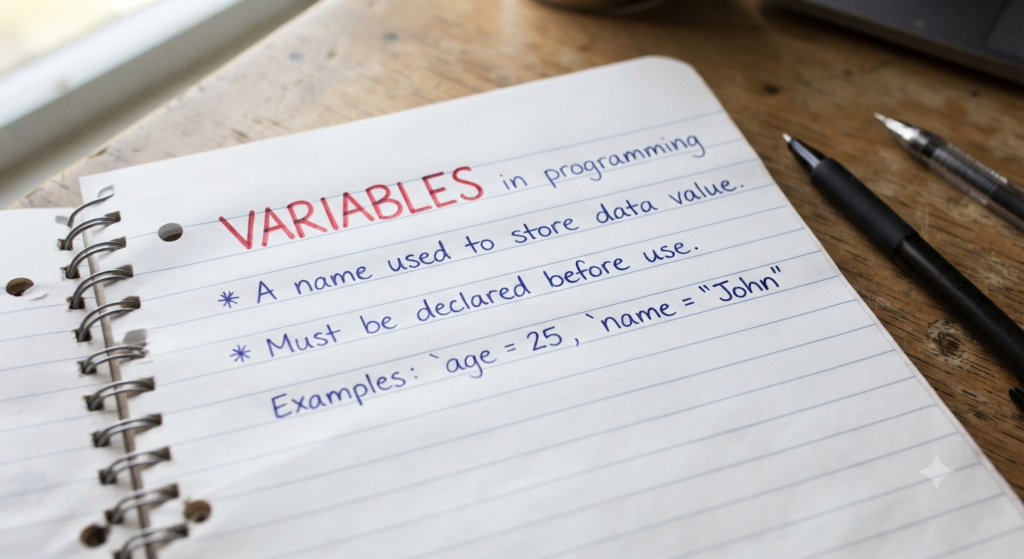
Variables in Java: Concepts and Examples for Automation Testing
Table of Contents
Variables are one of the most fundamental concepts in programming and are heavily used in automation testing. Whether you are working with Selenium, API automation, or test data handling, understanding variables is essential for writing reusable and maintainable automation scripts.
In this beginner-friendly guide, we will understand what variables are in Java, why they are important in automation testing, their syntax, naming rules, types, and common mistakes beginners should avoid.
Understanding Variables in Java
From a tester’s perspective, suppose you have a test case where you need to test a user registration form containing fields like first name, last name, gender, and phone number. Your goal is to verify whether the user is able to submit the form successfully.
Now imagine this test case is assigned to you. While testing, you may enter one set of test data into the form. If the same test case is assigned to your colleague, they might enter completely different data. Similarly, during edge case or negative testing, the test data may change again.
So we can clearly see that test data is not always fixed — it changes depending on the tester and the scenario being tested.
If we automate this test case, our automation script should also be able to work with different test data during different test executions. For this, we need a way to temporarily store values while the program is running.
In programming, this is achieved using variables.
A variable is simply a container used to store data temporarily in the computer’s memory during program execution.
Syntax of Variables in Java
Let us now see how variables are created in Java.
String firstName = "Daniel";
String phoneNumber = "1234567890";
| Part | Meaning |
|---|---|
| String | Data type |
| firstName | Variable name |
| = | Assignment operator |
| “Daniel” | Value |
Here:
firstNameandphoneNumberare variable names."Daniel"and"1234567890"are the values stored inside the variables.Stringis a data type, which we will discuss in the next section.
Rules for Naming Variables
There are certain rules and best practices that should be followed while declaring variables in Java. Following these rules makes your code easier to read, understand, and maintain.
1. Variable names cannot start with numbers
Examples like 1FirstName or 333vehicleID are invalid.
2. Variable names cannot contain spaces
For example, First Name is not allowed.
3. Reserved keywords cannot be used as variable names
Java has reserved keywords such as static, public, int, and override that cannot be used as variable names.
4. Use meaningful variable names
Always prefer descriptive names like userName or phoneNumber instead of vague names such as abc, variable1, or test.
camelCase Naming Convention
Another important convention to follow while naming variables is camelCase notation.
In camelCase:
- the first letter of the first word is lowercase
- the first letter of each additional word is uppercase
Examples:
phoneNumberuserEmailloginButtonuserSuggestionBox
Types of Variables in Java
Depending on where and how variables are declared in a Java program, variables are mainly divided into three types:
- Local Variables
- Instance Variables
- Static Variables
Local Variables
Local variables are variables declared inside a block of code.
In Java, a block is defined using curly braces { }.
Since Java programs often contain multiple nested blocks, a local variable can only be accessed within the specific block in which it is declared.
Once the execution moves outside that block, the variable goes out of scope and can no longer be accessed.
Instance Variables
Instance variables are variables declared inside a class but outside methods or blocks.
Each object of the class gets its own copy of these variables.
Static Variables
Static variables are declared using the static keyword and are shared among all objects of a class instead of being created separately for each object.
For now, let’s focus only on local variables. We will discuss instance variables and static variables in later articles once the concept of classes is introduced.
Why Variables Are Important in Automation Testing
As mentioned earlier, variables provide a way to store and manage data within a program.
In automation testing, variables play a very important role because test scripts often need to capture, store, and reuse values during execution.
There are many real-world scenarios where variables are required to hold data temporarily for validations, comparisons, or further test steps.
Common Examples:
- Storing usernames and passwords
- Storing expected values for assertions
- Capturing OTPs or verification codes
- Storing dynamic text or messages from web pages
- Reusing values across different test steps or test cases
Example:
String expectedMessage = "Login Successful";
In the above example, the variable expectedMessage stores the expected success message, which can later be used for validation in the test script.
Common Mistakes Beginners Make
As a beginner, it is very common to make small mistakes while learning variables in Java.
Keeping the following points in mind while practicing can help you avoid unnecessary errors and improve your coding habits.
1. Forgetting quotes for String values
String data types require values to be written inside double quotes " ".
Correct Example:
String name = "John";
Writing:
String name = John;
will result in an error.
2. Using the wrong data type
Always choose the appropriate data type based on the kind of value being stored.
For example, numeric values should preferably use int, double, or other number-related data types instead of String.
3. Using unclear or shortened variable names
Meaningful and readable variable names make code easier to understand and maintain.
For example, loginButton is much better than lgnBtn.
4. Ignoring case sensitivity
Java is a case-sensitive language.
This means firstName and Firstname are treated as two different variable names.
Always use consistent naming and correct letter casing while declaring and accessing variables.
Conclusion
Variables are one of the most fundamental concepts in Java and are heavily used in automation testing.
Before writing automation scripts, it is important to understand how to store and use data efficiently using variables.
In the next article, we will understand Java data types in detail.
Frequently Asked Questions (FAQs)
What is a variable in Java?
A variable in Java is a container used to temporarily store data during program execution.
Why are variables important in automation testing?
Variables help automation testers store and reuse data such as usernames, passwords, OTPs, expected messages, and dynamic values during test execution.
Can the value of a variable change in Java?
Yes. The value stored inside a variable can change during program execution depending on the program logic.
Which data type is mostly used for text values in Java?
The String data type is commonly used to store text values in Java.
Pingback: How To Get Started With Automation Testing In 2026 | Beginner's Roadmap